Entity Management
Overview
Entity Management handles the organizational hierarchy within iDARMS — regions, MMDAs, zones, and blocks. Entities represent the administrative structure under which properties and rate payers operate. This module supports CRUD operations, bulk import/export, hierarchy visualization, map-based viewing, and admin assignment.
Navigate to: Sidebar → Entity Management
Entity List (All Entities)
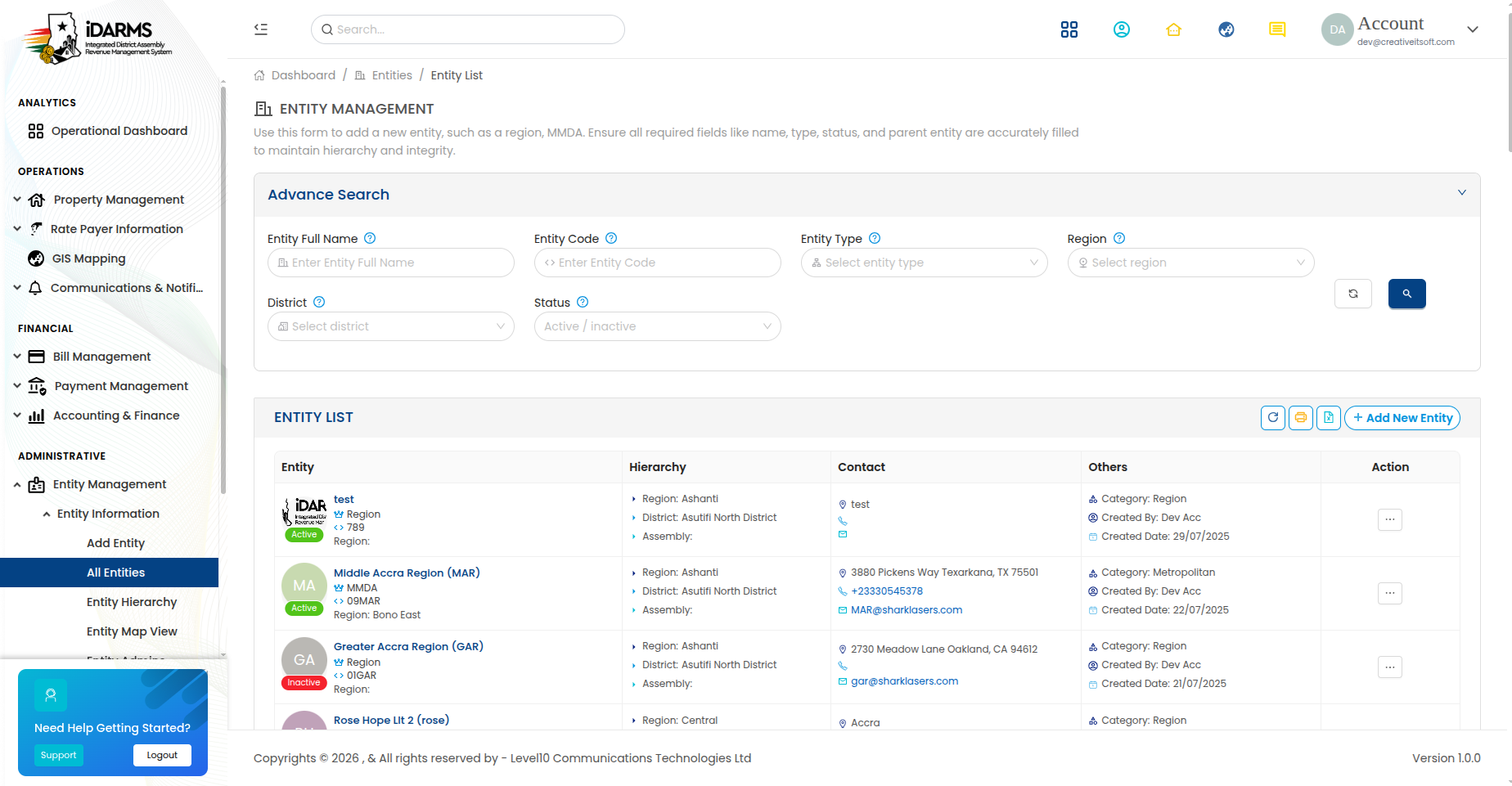
Navigate to: /entity/entities
| Element | Description |
|---|---|
| Search bar | Search entities by name, code, or type |
| Filter tabs | Filter by entity type (Region, MMDA, Zone, Block) |
| Add Entity button | Opens the Add Entity form |
| Import button | Bulk import entities via Excel |
| Export button | Export entity list to Excel |
| Hierarchy button | Opens the entity hierarchy view |
| Entity card | Shows entity name, type, code, parent entity, and status |
Entity Card
| Field | Description |
|---|---|
| Entity Name | Name of the administrative unit |
| Entity Type | Region, MMDA, Zone, or Block |
| Entity Code | Unique code |
| Parent Entity | Parent in the hierarchy (e.g. MMDA's parent is Region) |
| Status | Active or Inactive |
| View Details button | Opens entity detail page |
Things to check
- Entity list loads with correct hierarchy context
- Search filters match by name, code, and type
- Entity types display correct parent relationships
- Pagination works correctly for large entity lists
- Status indicators are clearly visible
Add / Edit Entity
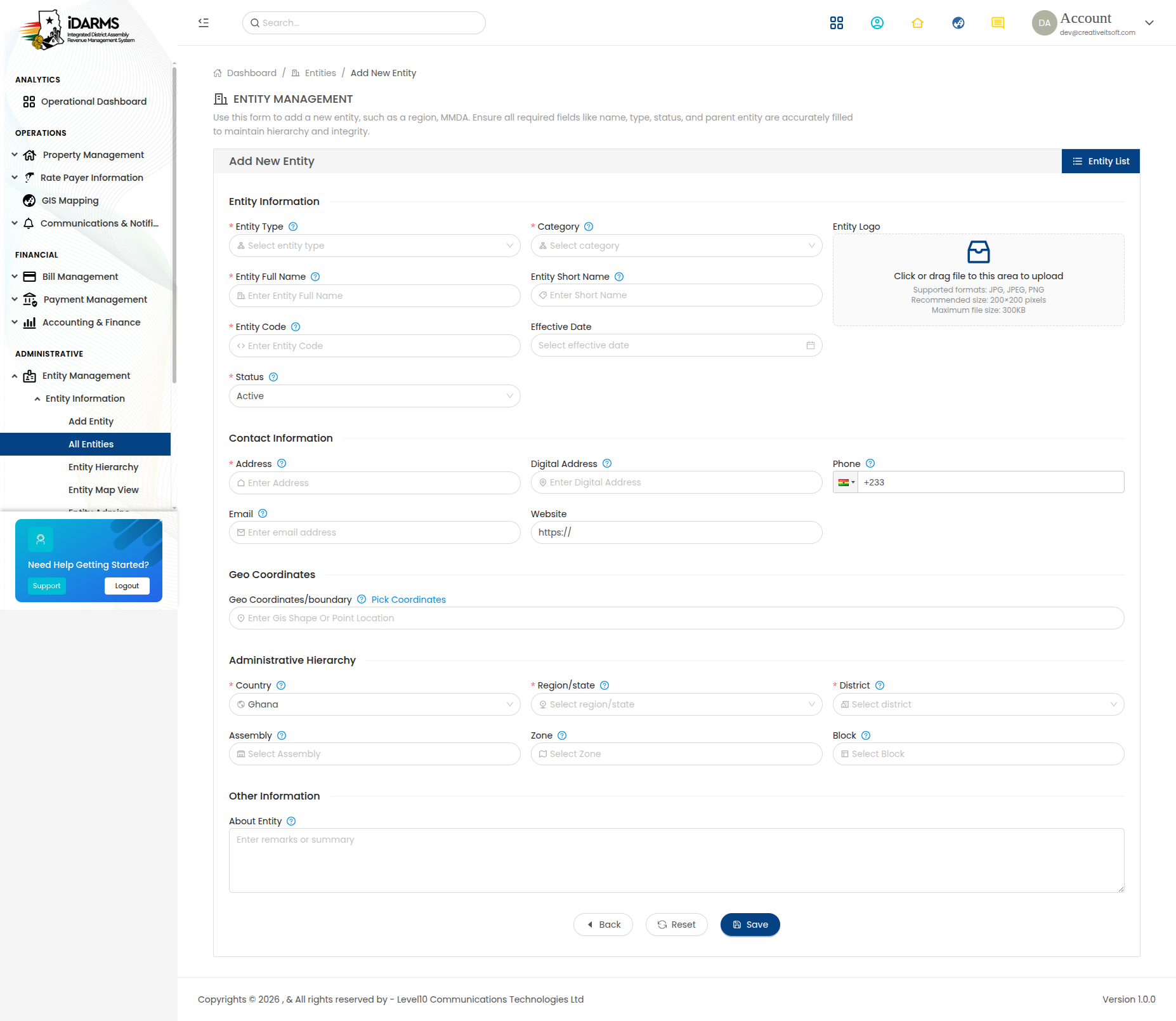
Navigate to: /entity/addentity or /entity/edit/:id
| Field | Required | Description |
|---|---|---|
| Entity Name | Yes | Name of the administrative unit |
| Entity Type | Yes | Region, MMDA, Zone, Block |
| Parent Entity | Yes | Parent entity in the hierarchy (depends on type) |
| Entity Code | Yes | Unique code for the entity |
| Description | No | Description of the entity |
| Status | Yes | Active or Inactive |
| Latitude | No | GPS latitude for map placement |
| Longitude | No | GPS longitude for map placement |
Entity Type Hierarchy
| Type | Parent Type | Example |
|---|---|---|
| Region | None (top level) | Greater Accra |
| MMDA | Region | Accra Metropolitan Assembly |
| Zone | MMDA | Zone 1 |
| Block | Zone | Block A |
Things to check
- Parent Entity dropdown filters based on selected Entity Type
- Only valid parent types are shown (e.g. Zone can only have MMDA as parent)
- Entity Code uniqueness is validated
- Required fields block submission when left blank
- Edit mode pre-fills all fields correctly
- Status change (Active ↔ Inactive) propagates to child entities
View Entity
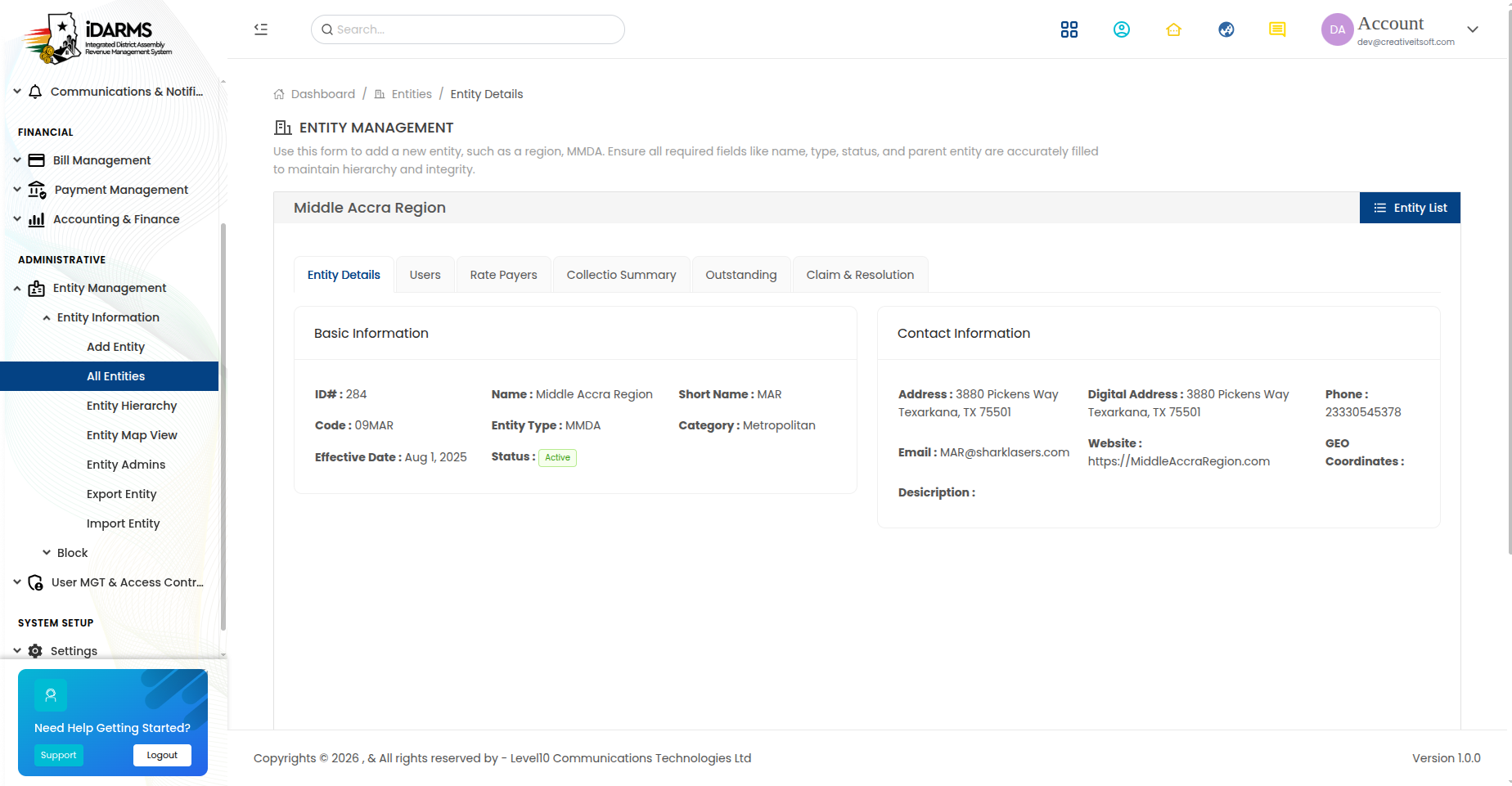
Navigate to: /entity/details/:id
Comprehensive view of a single entity with all associated data.
| Section | Description |
|---|---|
| Entity Information | Name, type, code, parent, status, coordinates |
| Child Entities | List of entities directly below this one in the hierarchy |
| Properties | Properties registered under this entity |
| Rate Payers | Rate payers linked to this entity |
| Blocks | Blocks within this entity (if MMDA or Zone) |
| Entity Admins | Administrators assigned to this entity |
Things to check
- Entity hierarchy is displayed correctly (parent → current → children)
- Child entities link to their own detail pages
- Properties and rate payers under this entity are listed correctly
- Entity admins can be managed from this page
Bulk Import (Entities)
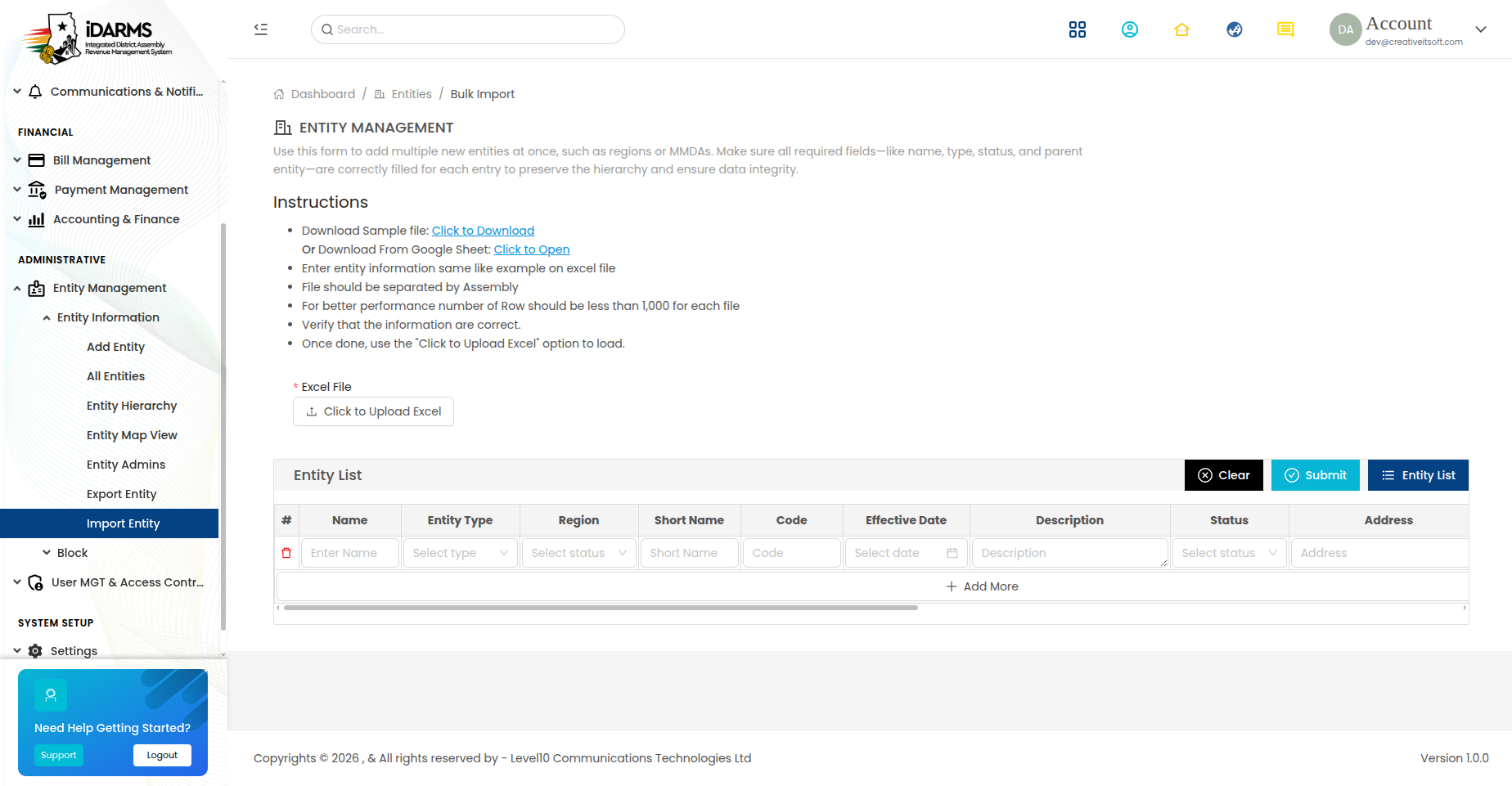
Navigate to: /entity/importentity
| Element | Description |
|---|---|
| Download Template button | Downloads Excel template with required columns |
| Upload File button | Select Excel file for import |
| Import button | Processes the uploaded file |
| Import preview | Shows rows to be imported with validation status |
| Error log | Displays validation errors for rejected rows |
Template Columns
| Column | Required | Description |
|---|---|---|
| Entity Name | Yes | Name of the entity |
| Entity Type | Yes | Region, MMDA, Zone, or Block |
| Parent Entity Name | Yes | Name of the parent entity |
| Entity Code | Yes | Unique code |
| Description | No | Description |
Things to check
- Template download provides a correctly formatted Excel file
- Parent entity names are resolved correctly during import
- Missing parent entities are flagged with clear errors
- Duplicate entity codes are detected
- Partial imports handle errors gracefully
Export Entity

Navigate to: /entity/exportentity
Export the entity list to Excel for offline analysis or reporting.
| Element | Description |
|---|---|
| Filter options | Filter by entity type, region, MMDA before export |
| Export button | Downloads the filtered entity list as Excel |
| Export preview | Shows the count of records to be exported |
Things to check
- Export includes all visible columns in the correct order
- Filters are applied correctly before export
- Exported file opens correctly in Excel/Google Sheets
- Large exports complete without timeout
Entity Hierarchy
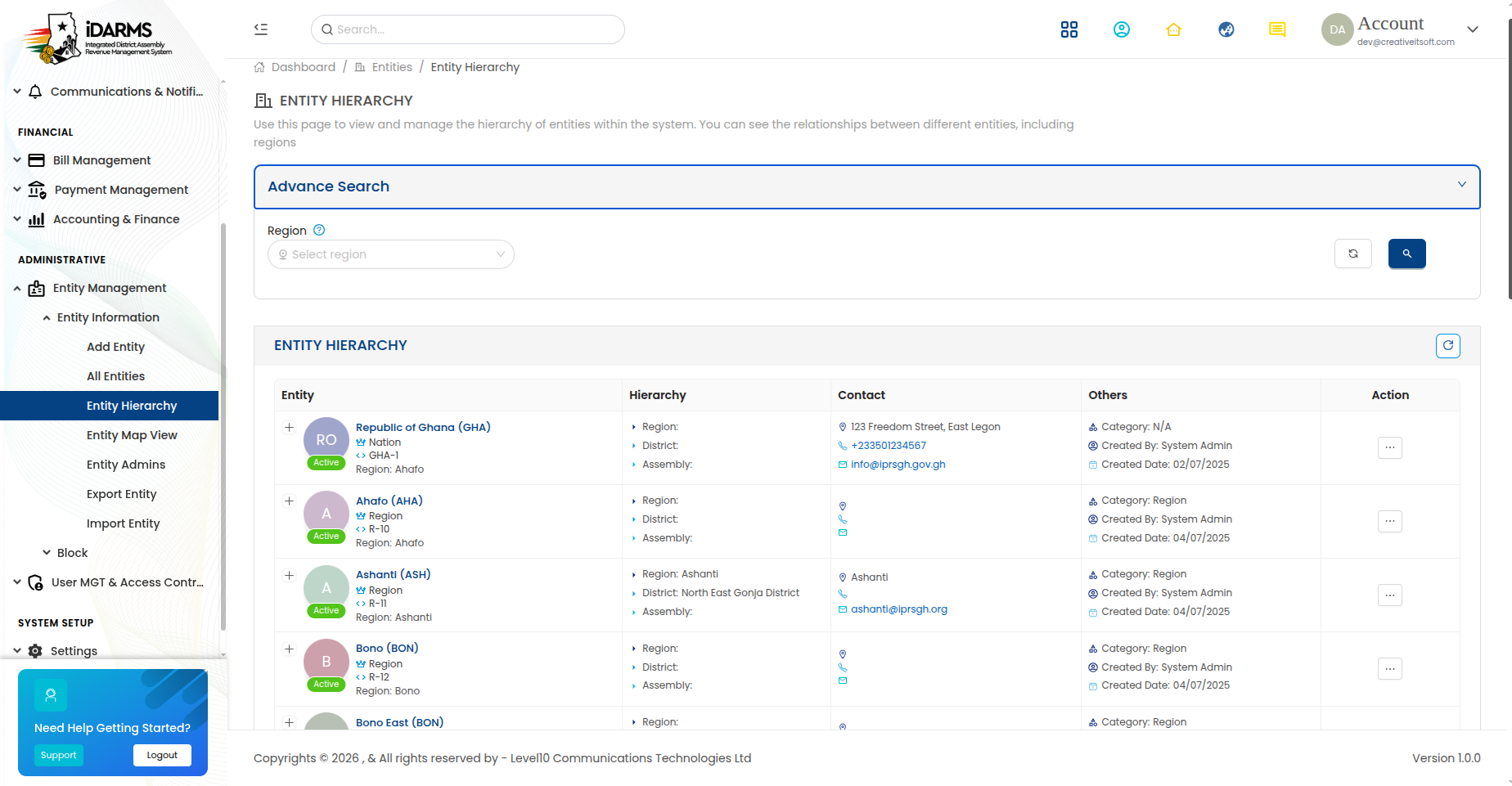
Navigate to: /entity/entityhierarchy
A tree-based visualization of the entity hierarchy.
| Element | Description |
|---|---|
| Tree view | Hierarchical display of Regions → MMDAs → Zones → Blocks |
| Expand/collapse | Toggle child entities at each level |
| Entity details | Click an entity to see its summary |
| Search | Find an entity within the hierarchy |
Hierarchy Structure
Region (e.g. Greater Accra)
    ├── MMDA (e.g. Accra Metropolitan Assembly)
    │     ├── Zone (e.g. Zone 1)
    │     │     ├── Block A
    │     │     └── Block B
    │     └── Zone (e.g. Zone 2)
    │           └── Block A
    └── MMDA (e.g. Tema Metropolitan Assembly)
          └── Zone (e.g. Zone 1)
                └── Block A
Things to check
- Hierarchy tree renders correctly with proper indentation
- Expand/collapse works at each level
- Clicking an entity opens its detail page
- Search highlights the matching entity in the tree
- New entities added via Add Entity appear in the correct position
Entity Map View
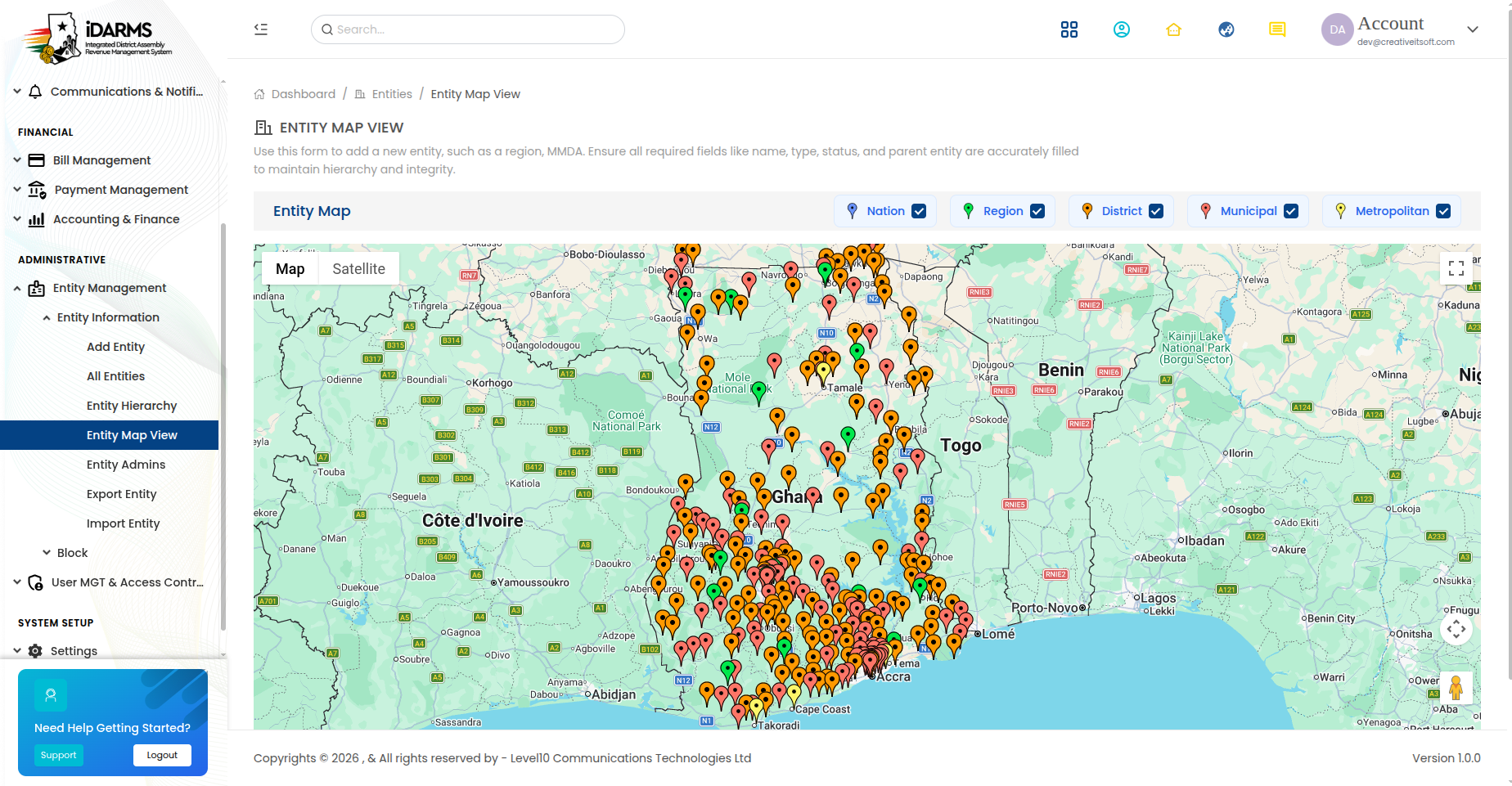
Navigate to: /entity/entitymapview
Google Maps-based visualization of entities with geographic boundaries.
| Element | Description |
|---|---|
| Map display | Google Maps with entity boundaries overlaid |
| Zone overlays | Coloured polygons showing zone/block boundaries |
| Entity markers | Pins for MMDAs, zones, or specific entities |
| Click handler | Clicking a marker/entity opens its details |
| Zoom controls | Zoom in/out for detail levels |
Things to check
- Map loads correctly with Google Maps integration
- Zone boundaries display as correct polygons
- Markers are placed at correct coordinates
- Clicking a marker opens the correct entity details
- Map zooms and pans smoothly
- Boundaries align with actual geographic data
Entity Admins
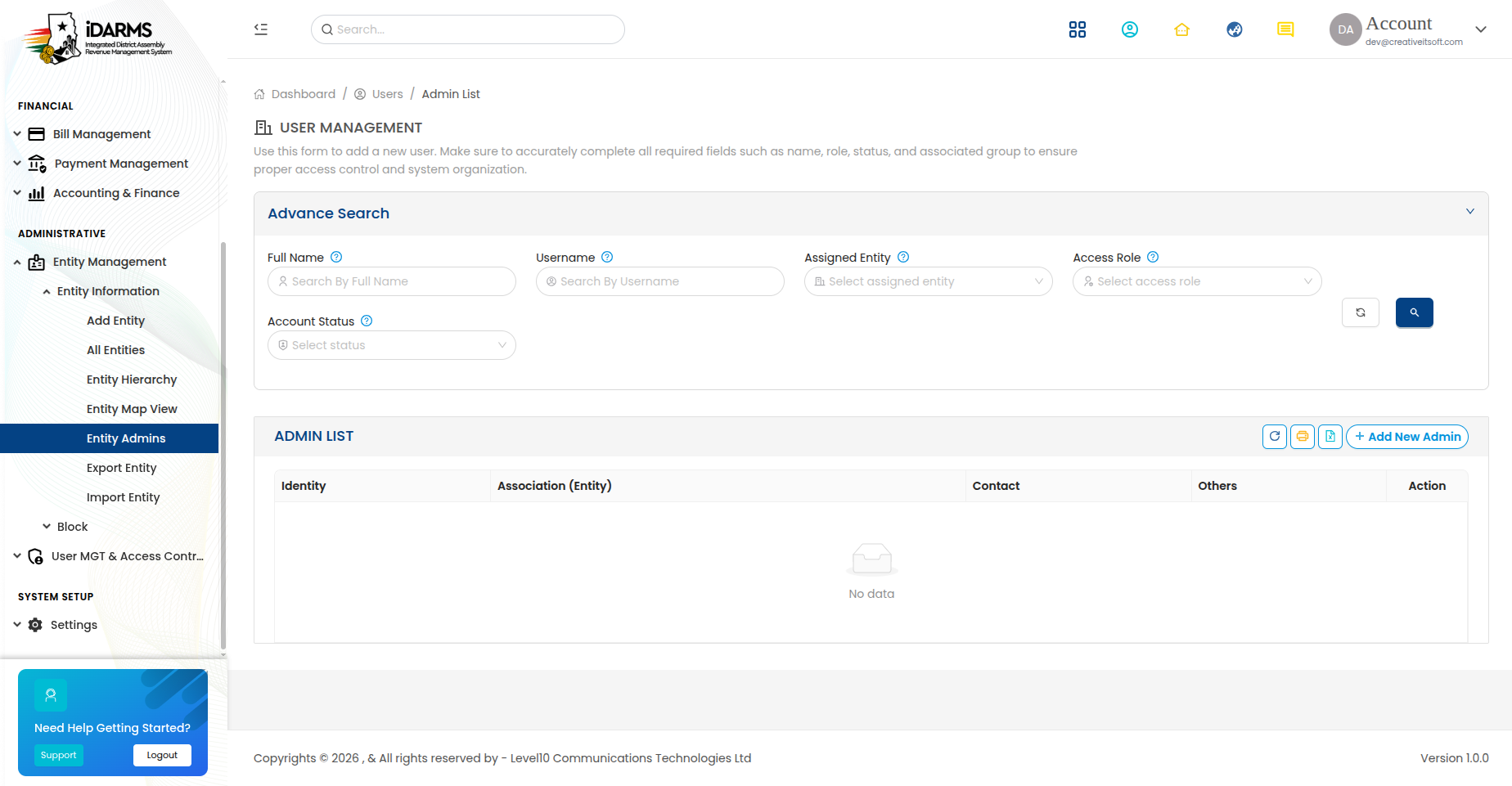
Navigate to: /entity/entityadmin
Manage administrators assigned to specific entities.
| Element | Description |
|---|---|
| Entity selector | Select the entity to manage admins for |
| Admin list | Users assigned as admins to this entity |
| Add Admin button | Assign a user as admin to this entity |
| Remove button | Remove admin assignment |
Admin Assignment
| Field | Description |
|---|---|
| User | Select from existing back office users |
| Role | Role assigned to this admin |
| Entity | The entity this admin manages |
| Permissions | Specific permissions granted |
Things to check
- Only existing users can be assigned as entity admins
- Admin assignment is reflected in the entity detail page
- Removing an admin revokes their entity-level access
- Multiple admins can be assigned to the same entity
Block Management
Block List
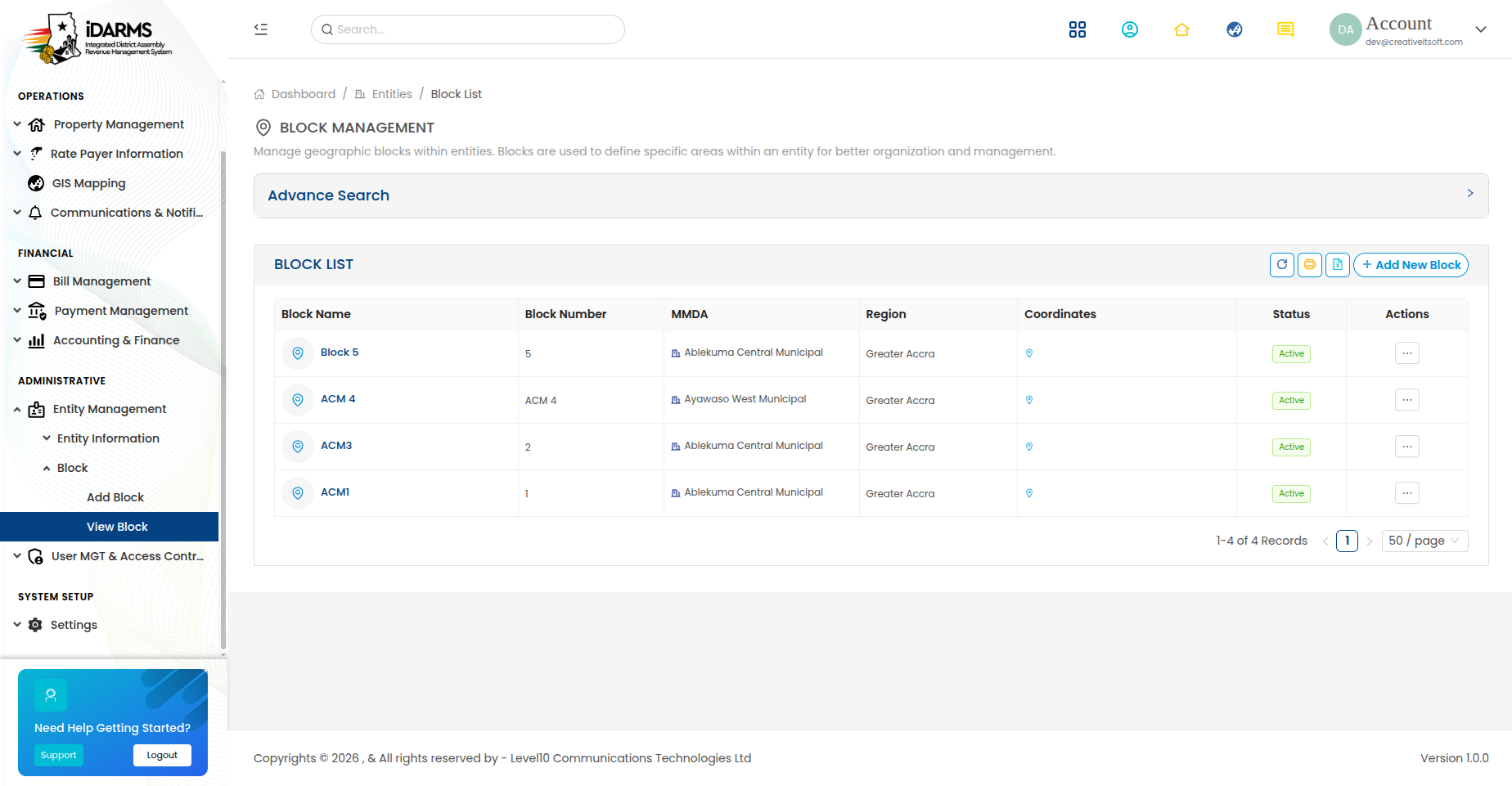
Navigate to: /entity/listblock
| Element | Description |
|---|---|
| Search bar | Search blocks by name, zone, or MMDA |
| Filter options | Filter by MMDA or Zone |
| Add Block button | Opens the Add Block form |
| Block card | Shows block name, zone, MMDA, and assigned agent |
Add / Edit Block
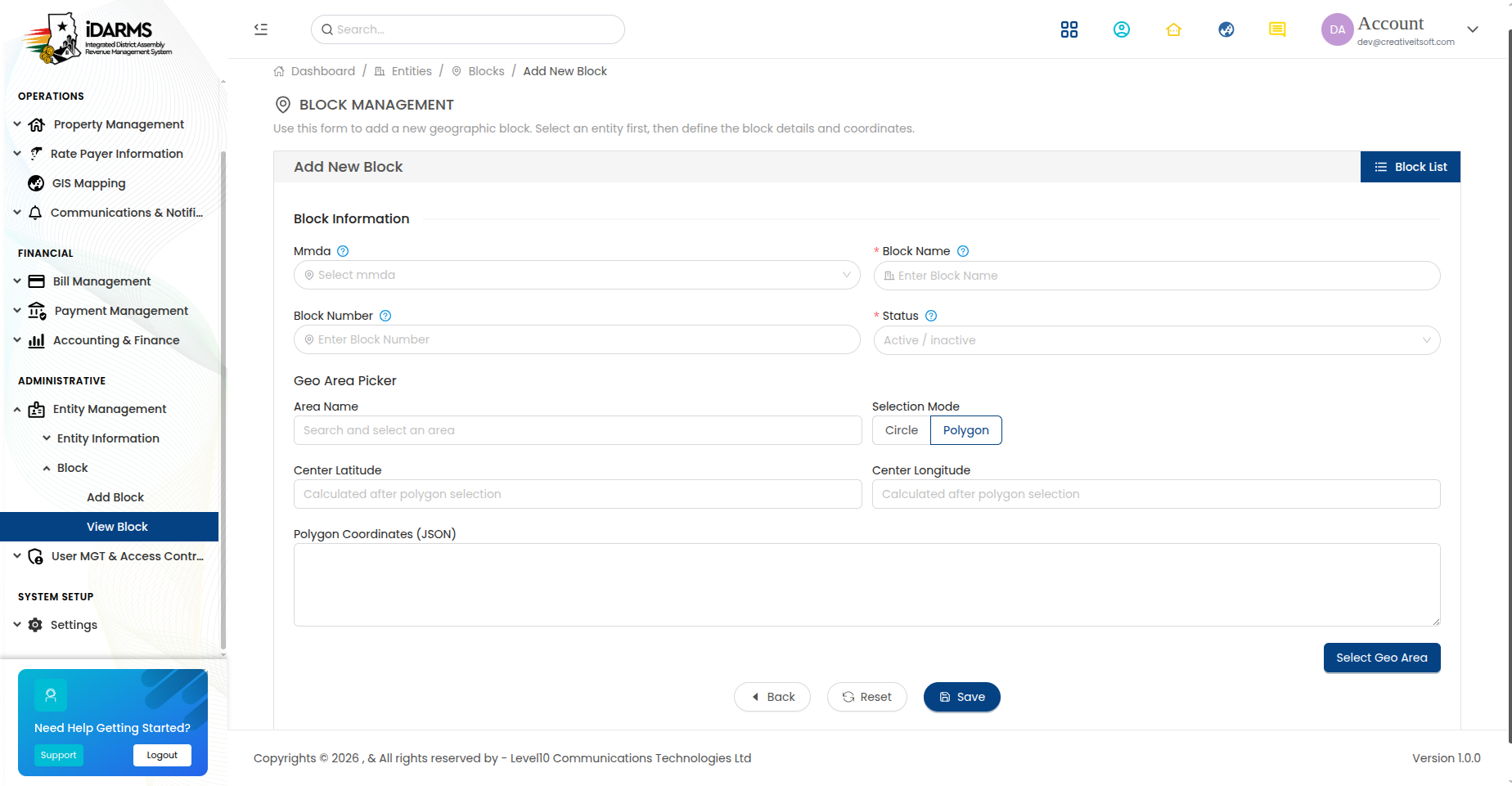
Navigate to: /entity/addblock or /entity/editblock/:id
| Field | Required | Description |
|---|---|---|
| Block Name | Yes | Name of the block |
| Zone | Yes | Zone this block belongs to |
| MMDA | Yes | MMDA this block belongs to |
| Description | No | Description of the block |
| Map Polygon | Yes | Draw block boundaries on a map |
The Add Block form includes an interactive map where the user can draw a polygon to define the block's geographic boundary.
Things to check
- Map polygon drawing works correctly
- Polygon coordinates are saved and displayed on the map
- Block boundaries are visible on the Entity Map View
- Zone and MMDA dropdowns show the correct hierarchy
- Block name is unique within the zone
Complete Entity Hierarchy
Region
    └── MMDA
          └── Zone
                └── Block
                      └── Properties
Things to check
- The full hierarchy is navigable from top to bottom
- Deleting a parent entity handles child entities correctly
- Entity codes are unique across the entire system
- The hierarchy is consistent across all views (list, tree, map)
- Bulk import respects the hierarchy (parent must exist before child)
- Export includes hierarchy context (parent names/codes)