Accounting & Finance
Overview
The Accounting & Finance module provides comprehensive financial management capabilities including Chart of Accounts, journal entries, and 14 financial reports. It supports double-entry bookkeeping with trial balance, cash book, bank book, general ledger, income statement, balance sheet, and specialised reports for revenue, expenses, budget, collection, tax, and audit.
Navigate to: Sidebar → Accounting & Finance
Chart of Accounts

Navigate to: /accountingfinance/listchart
The Chart of Accounts is the foundation of the accounting system — a structured list of all financial accounts used by the MMDA.
| Element | Description |
|---|---|
| Search bar | Search accounts by name, code, or type |
| Filter tabs | Filter by account type (Asset, Liability, Equity, Revenue, Expense) |
| Add Account button | Create a new account |
| Import button | Bulk import accounts via Excel |
| Account tree | Hierarchical display of accounts |
Account Types
| Type | Description | Examples |
|---|---|---|
| Asset | Resources owned by the MMDA | Cash, Bank, Accounts Receivable, Property |
| Liability | Obligations owed by the MMDA | Accounts Payable, Loans, Grants Payable |
| Equity | Net worth of the MMDA | Retained Earnings, Capital |
| Revenue | Income earned by the MMDA | Property Rates, Business Fees, Licences |
| Expense | Costs incurred by the MMDA | Salaries, Utilities, Maintenance |
Account Card
| Field | Description |
|---|---|
| Account Code | Unique code (e.g. 1001, 2001) |
| Account Name | Name of the account |
| Account Type | Asset, Liability, Equity, Revenue, or Expense |
| Parent Account | Parent account in the hierarchy |
| Balance | Current balance in GHS/GH₵ |
| Status | Active or Inactive |
Add / Edit Account
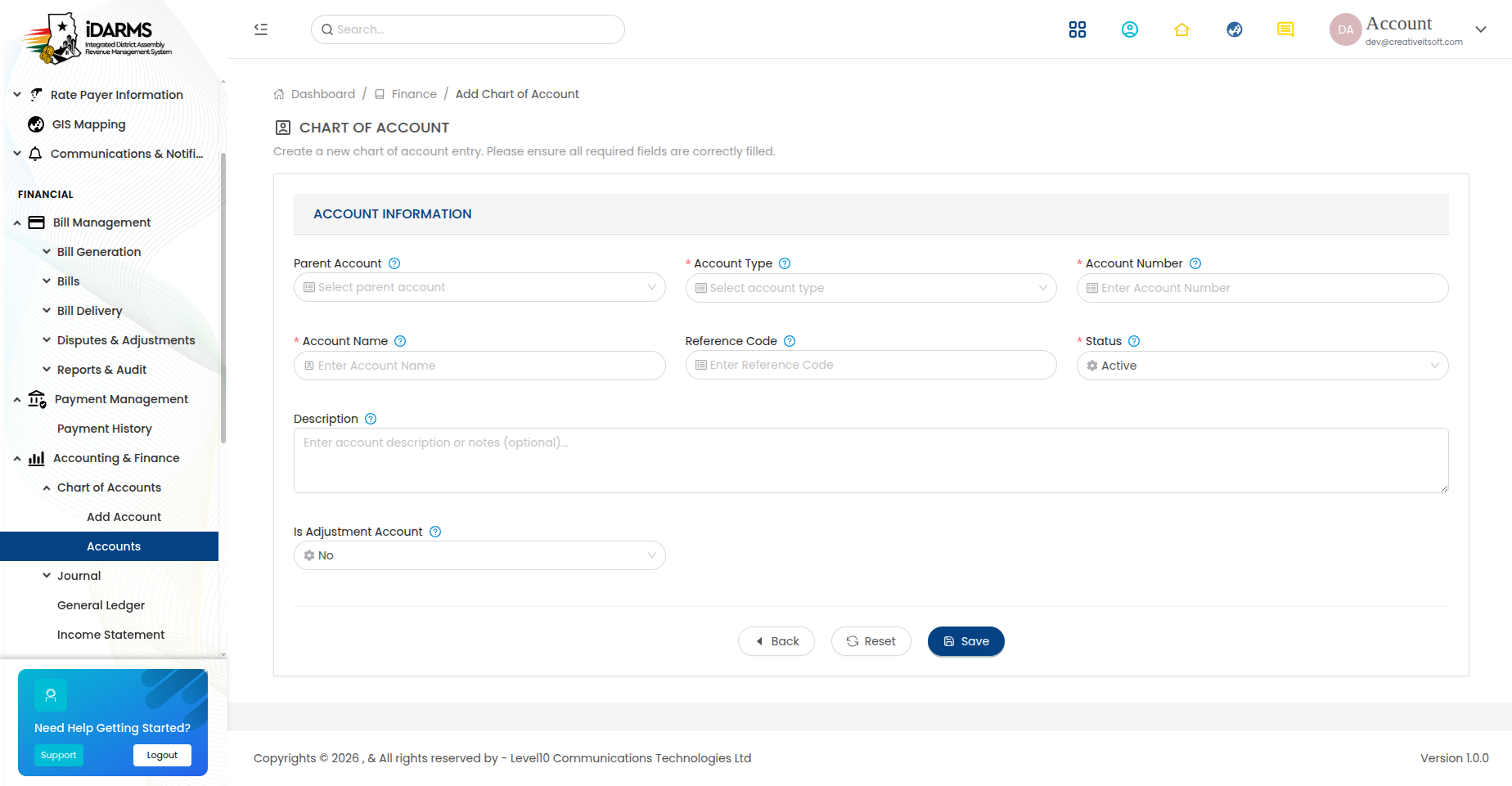
Navigate to: /accountingfinance/addaccount or /accountingfinance/editaccount/:id
| Field | Required | Description |
|---|---|---|
| Account Code | Yes | Unique code for the account |
| Account Name | Yes | Name of the account |
| Account Type | Yes | Asset, Liability, Equity, Revenue, or Expense |
| Parent Account | No | Parent account for hierarchical grouping |
| Description | No | Description of the account |
| Opening Balance | No | Initial balance when creating the account |
| Status | Yes | Active or Inactive |
Things to check
- Account codes are unique across the entire chart
- Account type determines which reports the account appears in
- Parent accounts correctly group child accounts in the hierarchy
- Opening balance is correctly reflected in the trial balance
- Inactive accounts are excluded from transaction entry but preserved in reports
Journal Entries
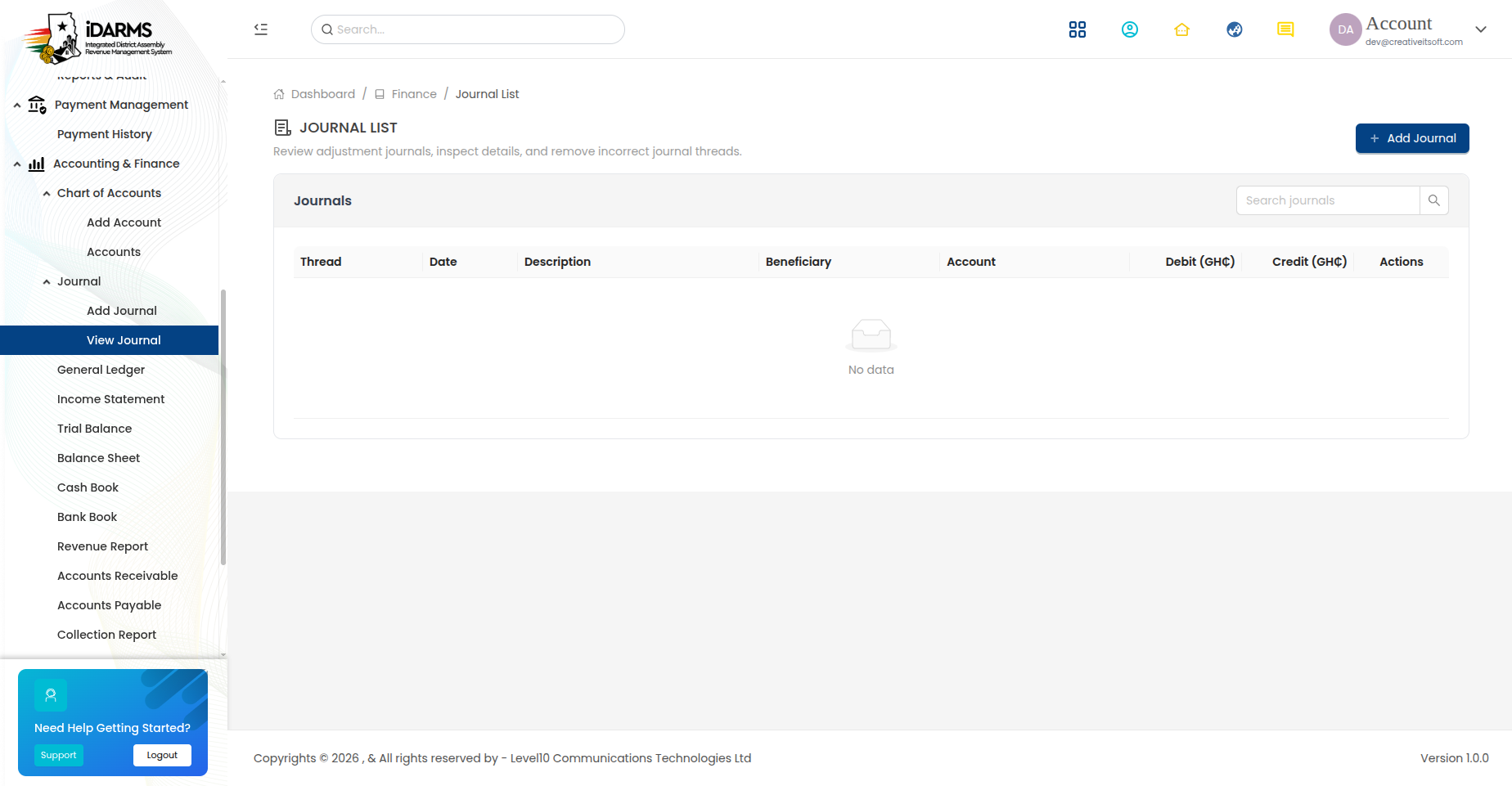
Navigate to: /accountingfinance/listjournal
| Element | Description |
|---|---|
| Search bar | Search by journal number, description, or date |
| Filter options | Filter by date range, status, or account |
| Add Journal button | Create a new journal entry |
| Journal card | Shows journal details and status |
Journal Card
| Field | Description |
|---|---|
| Journal Number | System-generated unique identifier |
| Date | Transaction date |
| Description | Description of the journal entry |
| Total Debit | Sum of all debit entries (GHS/GH₵) |
| Total Credit | Sum of all credit entries (GHS/GH₵) |
| Status | Posted, Draft, or Reversed |
| Created By | User who created the entry |
Add Journal Entry
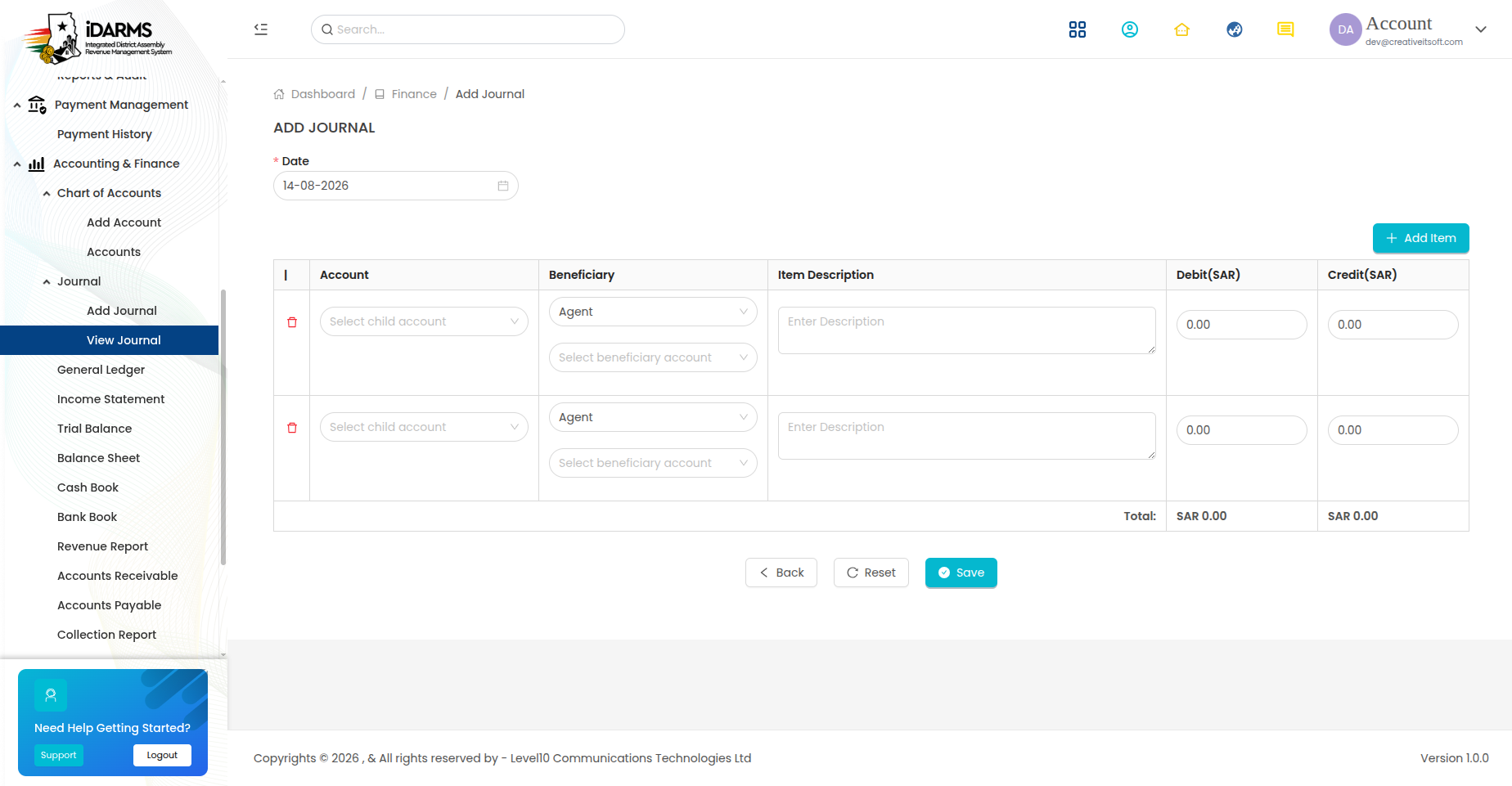
Navigate to: /accountingfinance/addjournal
| Field | Required | Description |
|---|---|---|
| Date | Yes | Transaction date |
| Description | Yes | Description of the journal entry |
| Reference | No | External reference number |
| Journal Lines | Yes | At least 2 lines (debit and credit) |
Journal Line
| Field | Required | Description |
|---|---|---|
| Account | Yes | Select account from Chart of Accounts |
| Debit | Conditional | Debit amount (GHS/GH₵) — required if Credit is empty |
| Credit | Conditional | Credit amount (GHS/GH₵) — required if Debit is empty |
| Description | No | Line-level description |
Double-Entry Rule
Total Debits must equal Total Credits for the journal entry to be posted. The system enforces this balance before submission.
Journal Details

Navigate to: /accountingfinance/journaldetails/:thread
Shows the complete journal entry with all lines and audit information.
| Section | Description |
|---|---|
| Header | Journal number, date, description, status |
| Journal Lines | All debit/credit lines with account names and amounts |
| Audit | Created by, created date, posted by, posted date |
| Actions | Edit (if Draft), Reverse, Print |
Things to check
- Journal entry balances (total debits = total credits)
- Posted journal entries cannot be edited (only reversed)
- Draft entries can be edited and posted later
- Reversed entries create a counter-entry preserving the audit trail
- Journal entries flow through to the General Ledger
- Account balances update correctly after journal posting
Financial Reports
The system provides 14 financial reports accessible from the Accounting & Finance sidebar.
1. Trial Balance
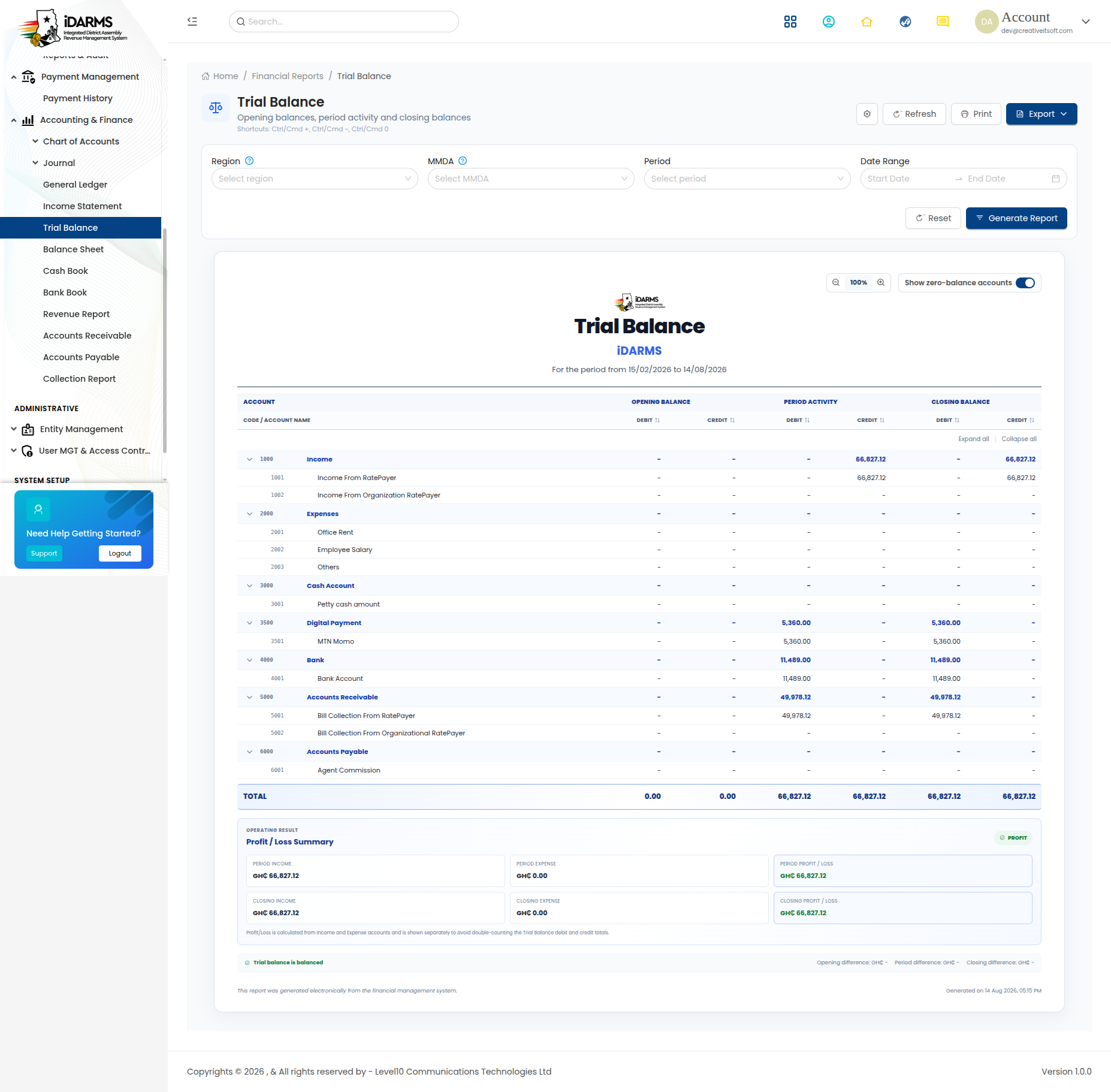
Navigate to: /accountingfinance/trailbalance
| Field | Description |
|---|---|
| Account Code | Account identifier |
| Account Name | Name of the account |
| Debit | Debit balance (GHS/GH₵) |
| Credit | Credit balance (GHS/GH₵) |
| Total | Sum of all debits and credits |
The trial balance verifies that total debits equal total credits across all accounts. Any discrepancy indicates a posting error.
Things to check
- Total Debits = Total Credits
- All active accounts appear with correct balances
- Inactive accounts with zero balance are excluded
- Date range filter correctly limits the period
2. General Ledger
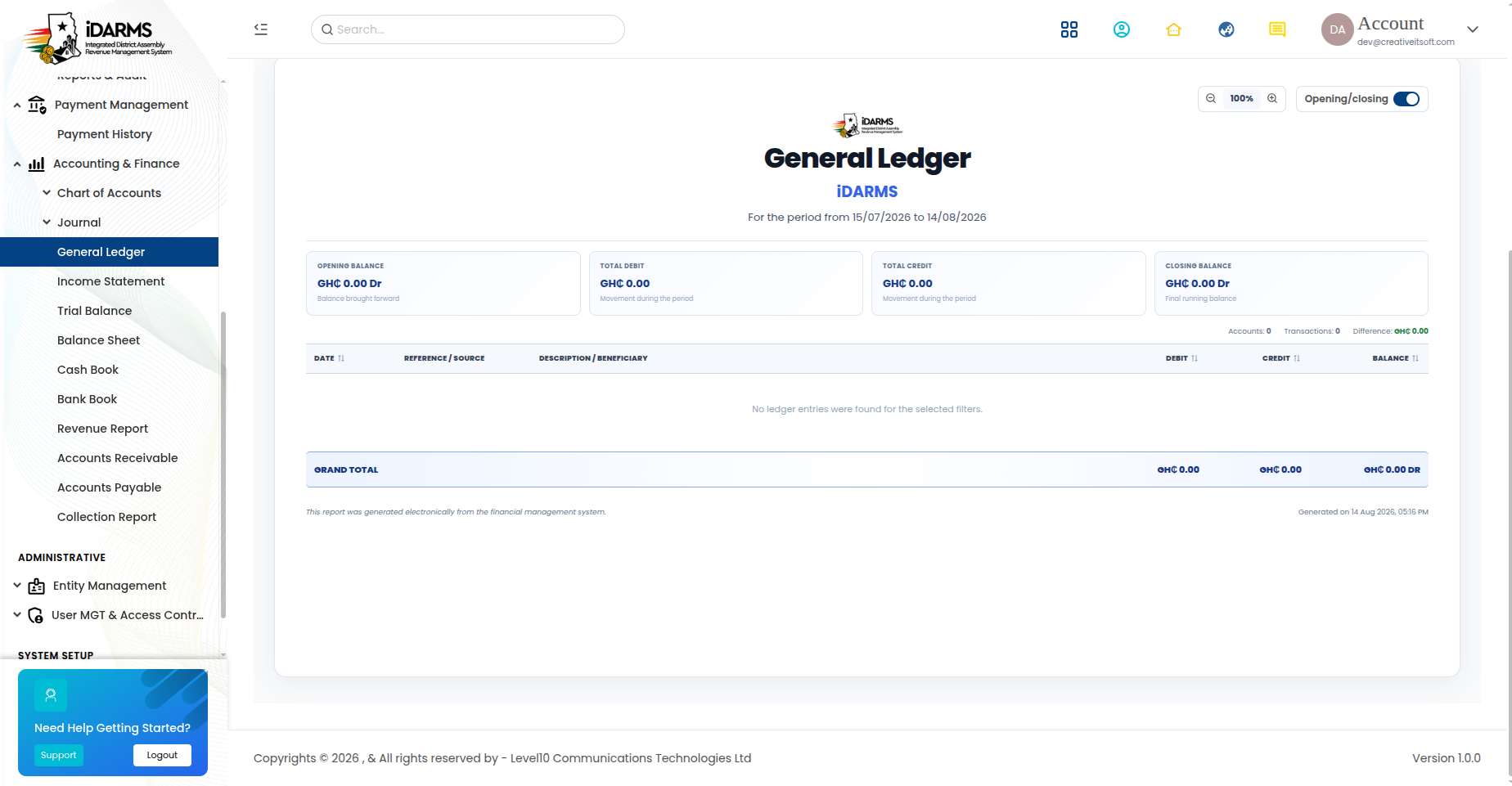
Navigate to: /accountingfinance/generalledger
A chronological record of all transactions for each account.
| Field | Description |
|---|---|
| Date | Transaction date |
| Journal # | Linked journal entry number |
| Description | Transaction description |
| Debit | Debit amount (GHS/GH₵) |
| Credit | Credit amount (GHS/GH₵) |
| Balance | Running balance after each transaction |
Filter Options
| Filter | Description |
|---|---|
| Account | Select specific account(s) |
| Date Range | Start and end date |
| Transaction Type | Filter by journal type |
3. Cash Book
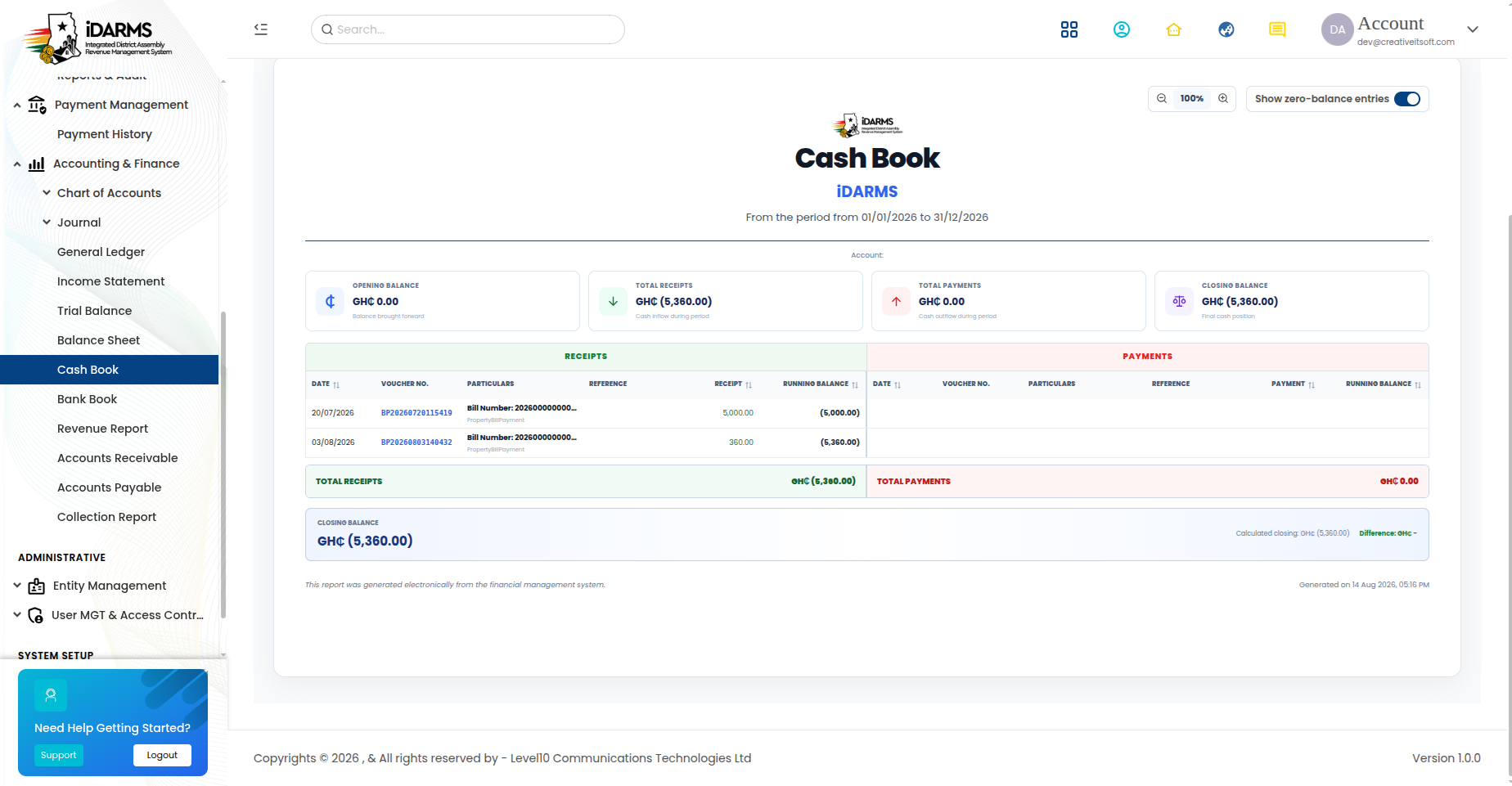
Navigate to: /accountingfinance/cashbook
Tracks all cash transactions (cash in hand).
| Field | Description |
|---|---|
| Date | Transaction date |
| Reference | Transaction reference |
| Description | Transaction description |
| Receipts | Cash received (GHS/GH₵) |
| Payments | Cash paid (GHS/GH₵) |
| Balance | Running cash balance |
4. Bank Book
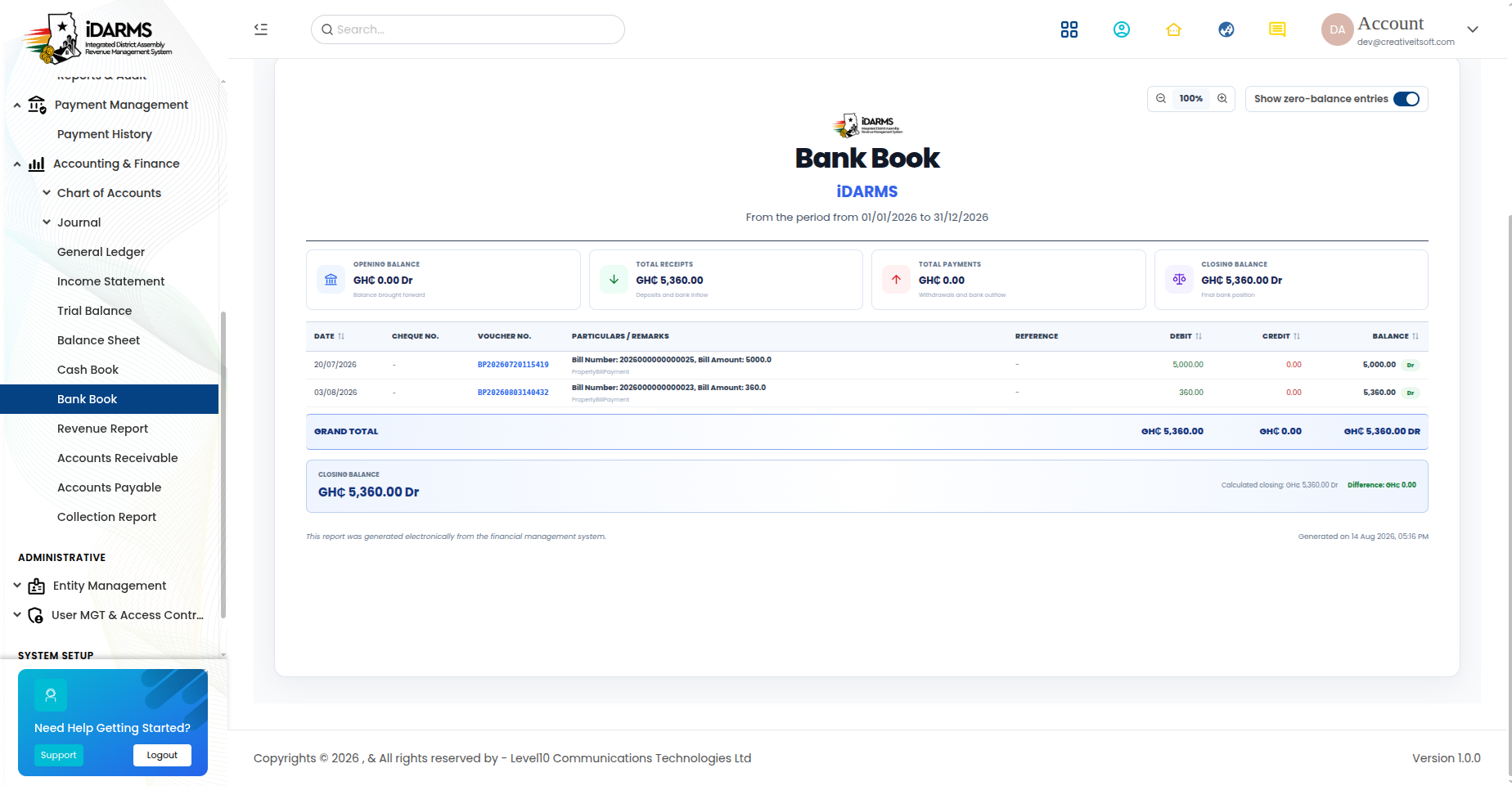
Navigate to: /accountingfinance/bankbook
Tracks all bank transactions.
| Field | Description |
|---|---|
| Date | Transaction date |
| Reference | Transaction reference |
| Description | Transaction description |
| Deposits | Money deposited (GHS/GH₵) |
| Withdrawals | Money withdrawn (GHS/GH₵) |
| Balance | Running bank balance |
5. Income Statement
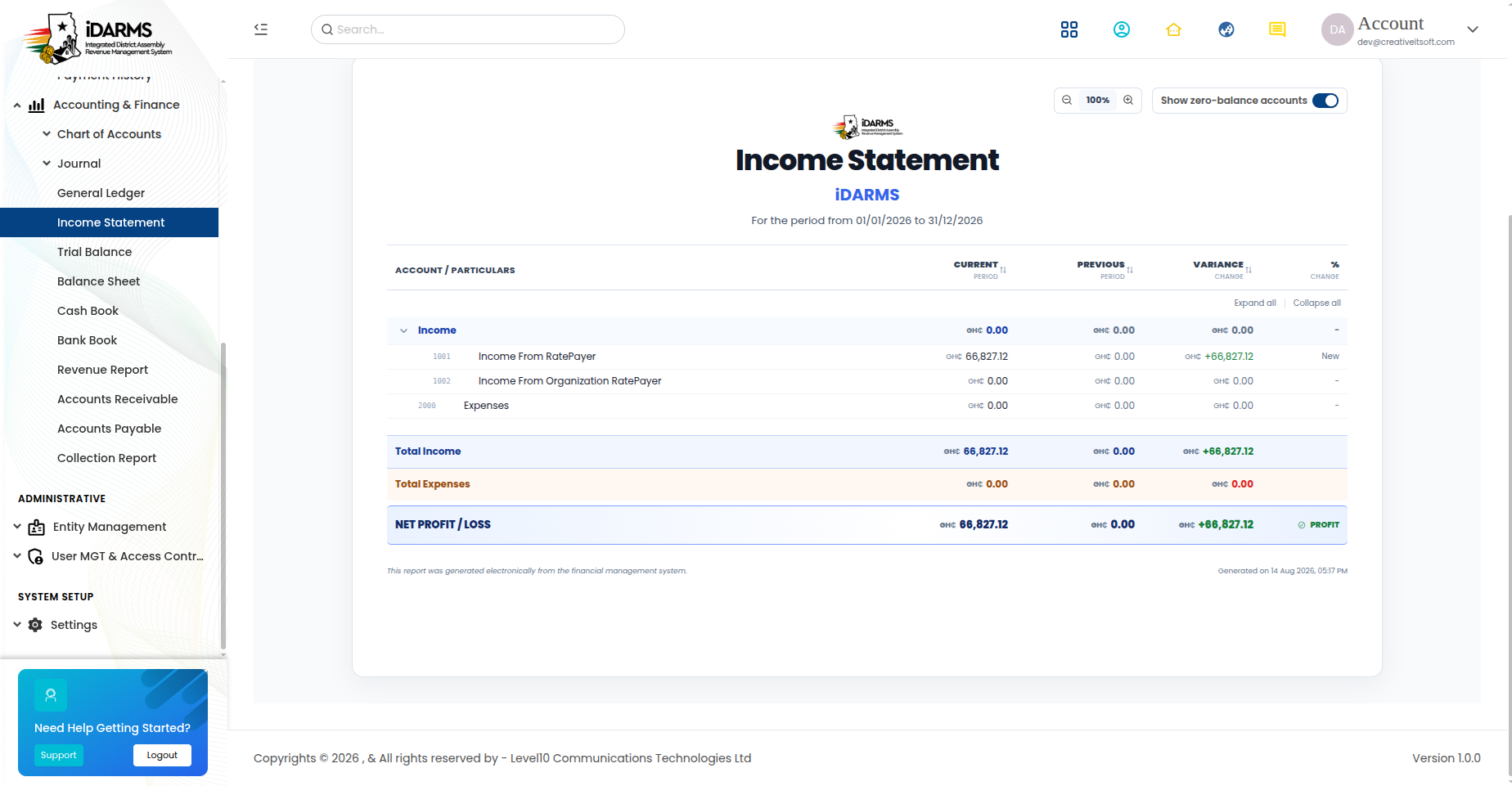
Navigate to: /accountingfinance/incomestatement
Shows revenue and expenses for a specific period.
| Section | Description |
|---|---|
| Revenue | All revenue accounts with totals |
| Expenses | All expense accounts with totals |
| Net Income | Revenue minus Expenses (GHS/GH₵) |
6. Balance Sheet

Navigate to: /accountingfinance/balancesheet
Shows the financial position at a specific point in time.
| Section | Description |
|---|---|
| Assets | All asset accounts with totals |
| Liabilities | All liability accounts with totals |
| Equity | Equity accounts with totals |
| Balance Check | Assets = Liabilities + Equity |
7. Expense Report
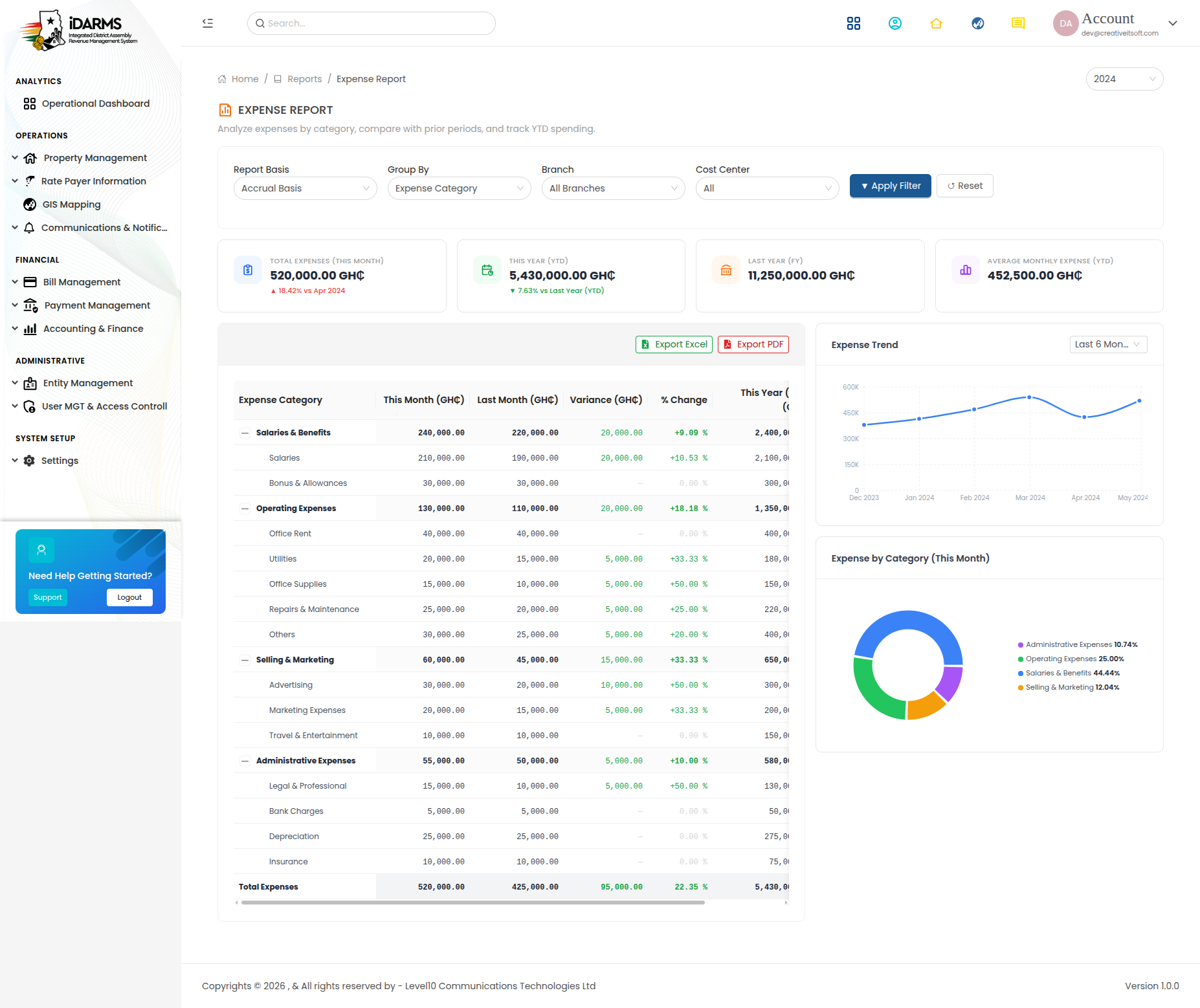
Navigate to: /accountingfinance/expensereport
Detailed breakdown of expenses by category, department, or period.
| Field | Description |
|---|---|
| Category | Expense category |
| Budgeted Amount | Planned expense (GHS/GH₵) |
| Actual Amount | Real expense (GHS/GH₵) |
| Variance | Difference between budgeted and actual |
| Variance % | Percentage variance |
8. Revenue Report

Navigate to: /accountingfinance/revenuereport
Detailed breakdown of revenue by source, category, or period.
| Field | Description |
|---|---|
| Revenue Source | Property rates, business fees, licences, etc. |
| Expected Amount | Projected revenue (GHS/GH₵) |
| Collected Amount | Actual revenue collected |
| Collection Rate | Percentage collected |
9. Accounts Receivable

Navigate to: /accountingfinance/accountsreceivable
Money owed to the MMDA by rate payers.
| Field | Description |
|---|---|
| Rate Payer | Name of the debtor |
| Property | Linked property |
| Amount Due | Outstanding amount (GHS/GH₵) |
| Days Outstanding | How long the amount has been outstanding |
| Status | Current, 30 days, 60 days, 90+ days |
10. Accounts Payable
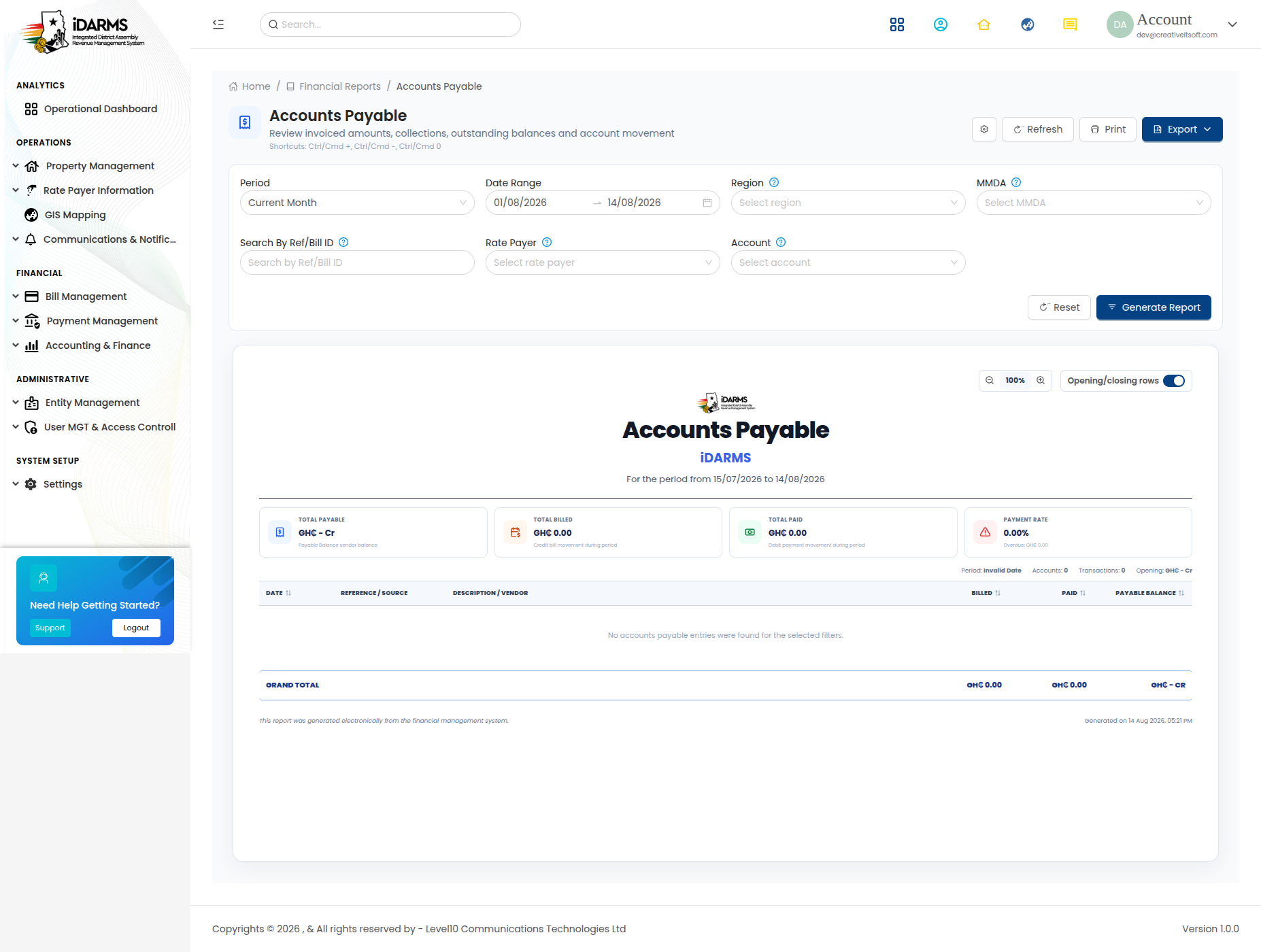
Navigate to: /accountingfinance/accountspayable
Money the MMDA owes to vendors and suppliers.
| Field | Description |
|---|---|
| Vendor | Name of the creditor |
| Invoice Number | Vendor's invoice reference |
| Amount Due | Outstanding amount (GHS/GH₵) |
| Due Date | Payment deadline |
| Status | Current, Overdue |
11. Budget Report
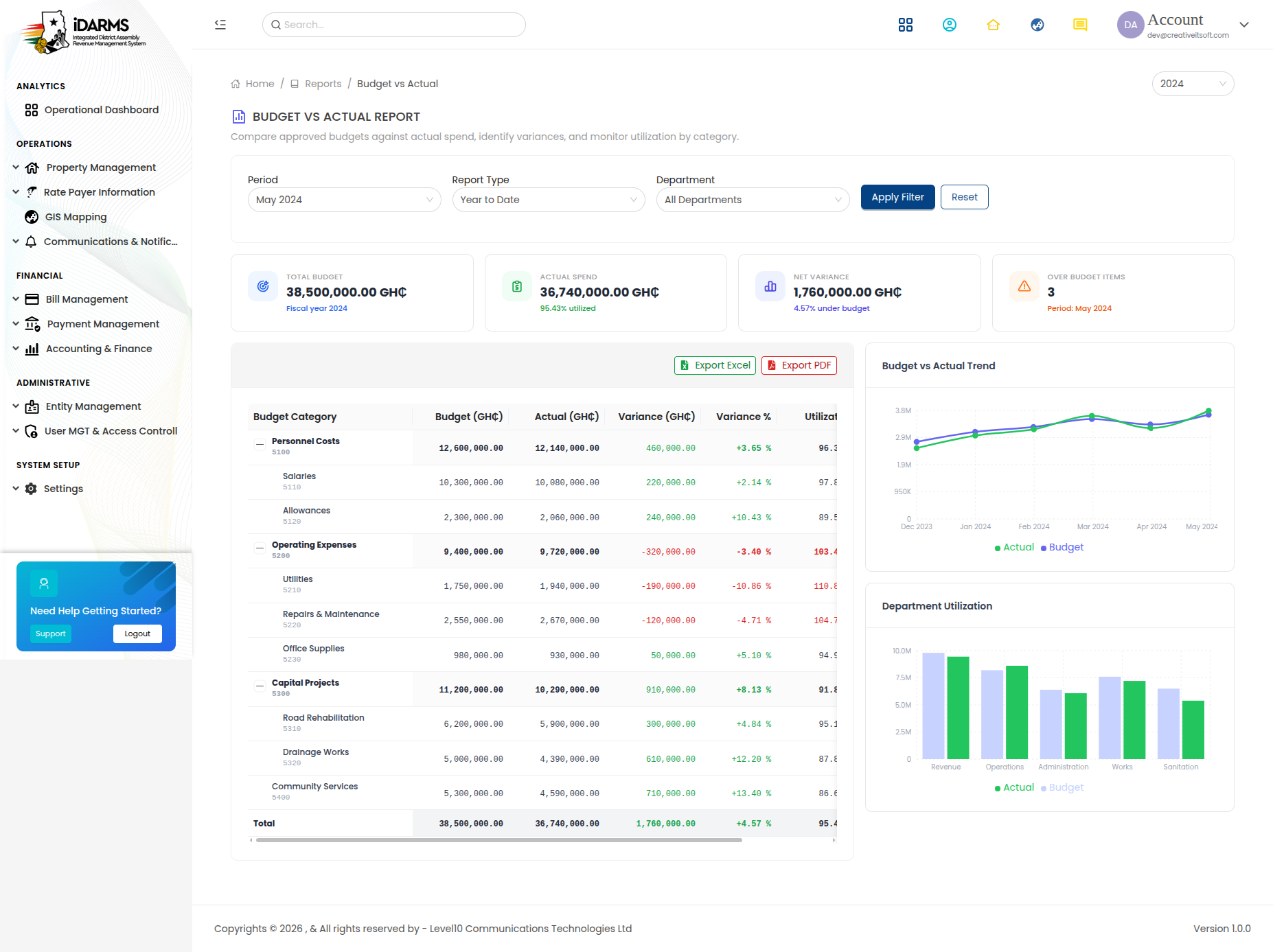
Navigate to: /accountingfinance/budgetreport
Comparison of budgeted vs actual amounts.
| Field | Description |
|---|---|
| Category | Budget category |
| Budgeted Amount | Planned amount (GHS/GH₵) |
| Actual Amount | Real amount spent/collected |
| Variance | Difference |
| Utilization % | Percentage of budget used |
12. Collection Report
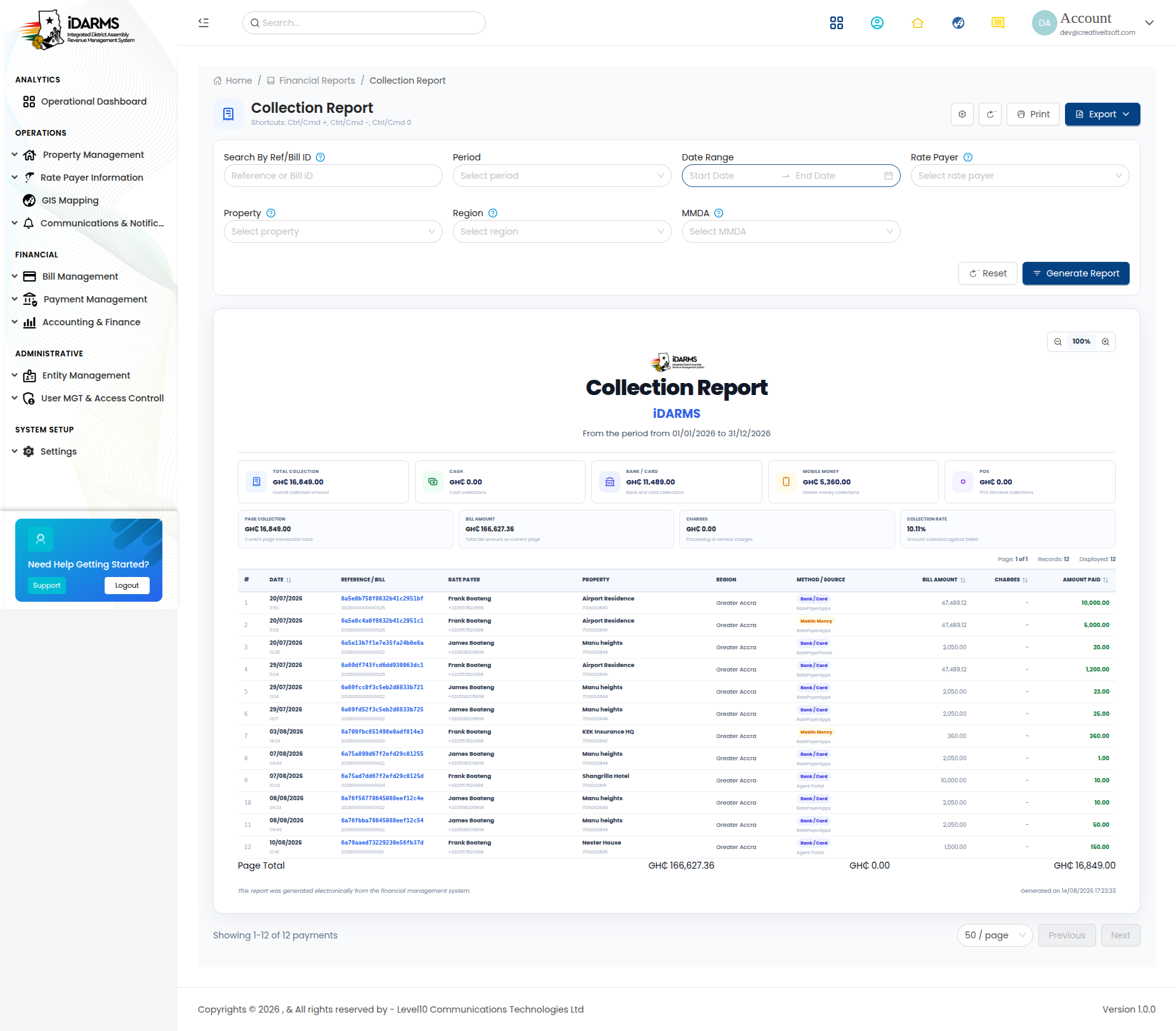
Navigate to: /accountingfinance/collectionreport
Summary of revenue collected over a period.
| Field | Description |
|---|---|
| Period | Collection period |
| Expected | Total expected collection (GHS/GH₵) |
| Collected | Total collected amount |
| Collection Rate | Percentage collected |
| MMDA | Assembly-level breakdown |
13. Tax Report
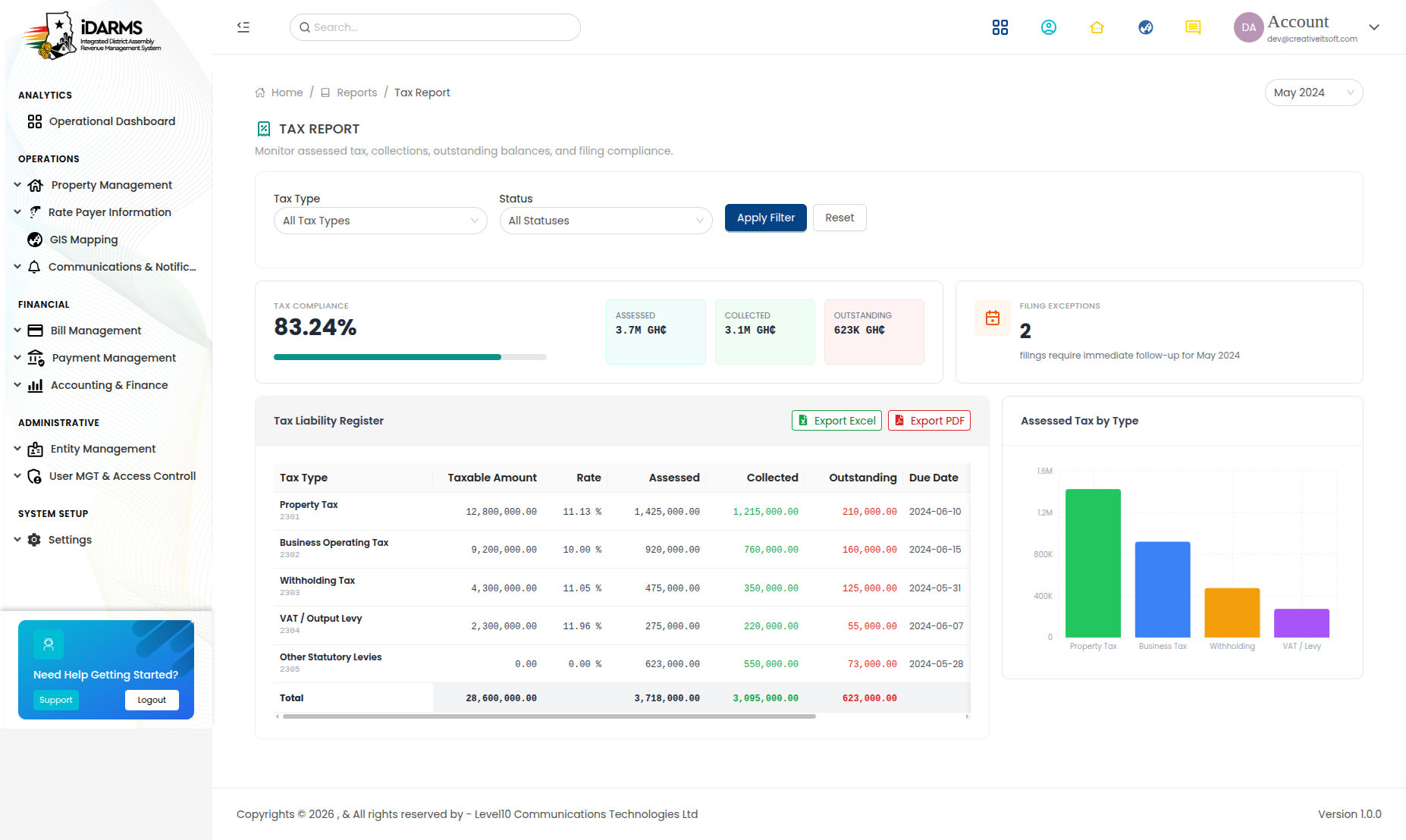
Navigate to: /accountingfinance/taxreport
Summary of tax-related revenue and obligations.
| Field | Description |
|---|---|
| Tax Type | Property tax, business tax, etc. |
| Assessed Amount | Total assessed (GHS/GH₵) |
| Collected Amount | Total collected |
| Outstanding | Amount not yet collected |
| Collection Rate | Percentage collected |
14. Audit Report
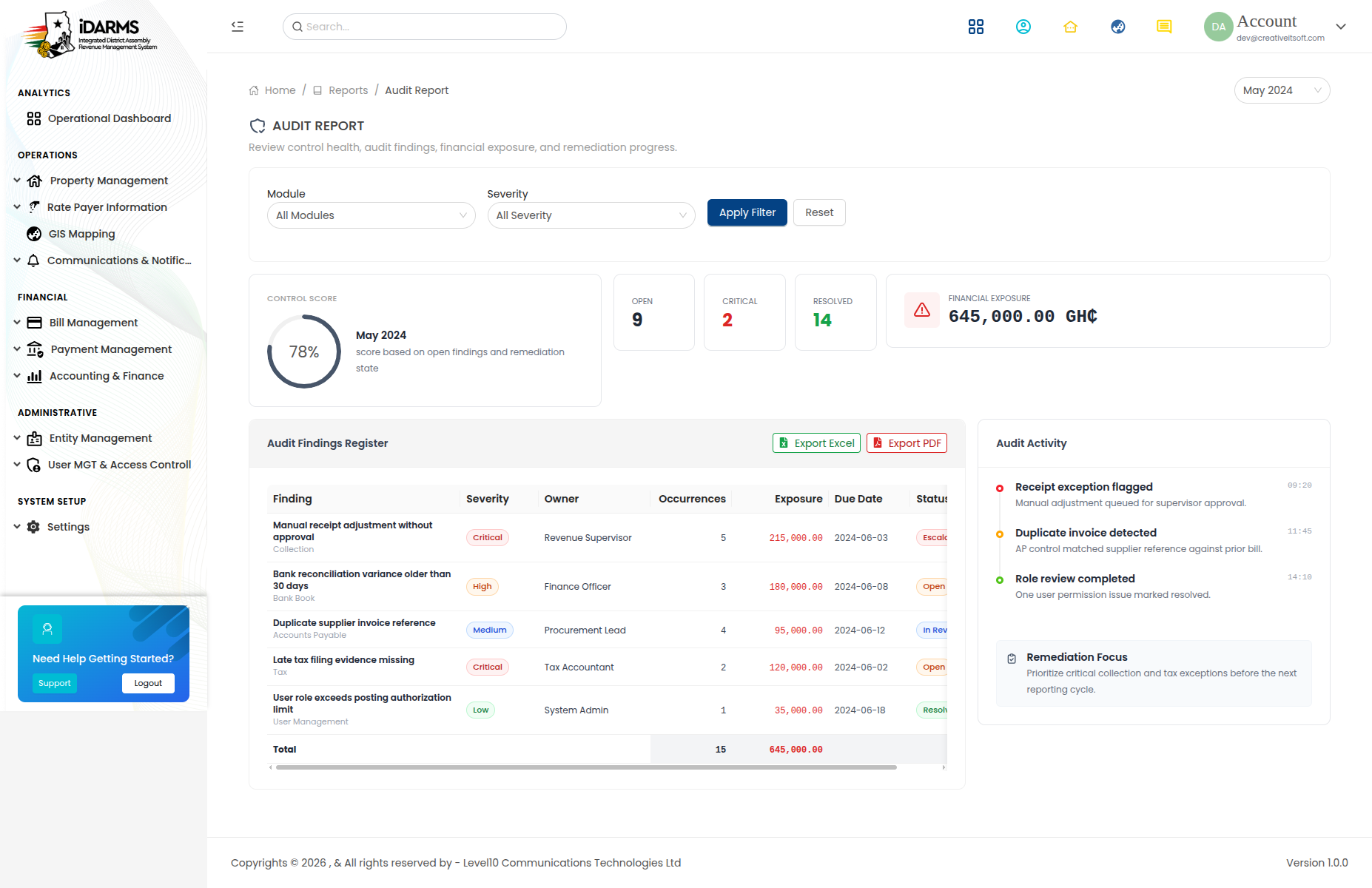
Navigate to: /accountingfinance/auditreport
Comprehensive audit trail of financial transactions.
| Field | Description |
|---|---|
| Date | Transaction date |
| User | User who performed the action |
| Action | Type of action (Create, Update, Delete, Post, Reverse) |
| Module | Affected module (Journal, Bill, Payment, etc.) |
| Details | Description of the change |
| Old Value | Previous value (for updates) |
| New Value | New value (for updates) |
Things to check
- All 14 reports load with correct data
- Date range filters work on all reports
- Export to Excel/PDF works on all reports
- Financial totals are consistent across reports
- Trial balance debits = credits
- Balance sheet balances (Assets = Liabilities + Equity)
- Income statement net income matches equity changes
- General ledger transactions match journal entries
- Collection report totals match payment history
- Audit report captures all financial actions
Accounting Workflow
Chart of Accounts Setup
        ↓
Journal Entries Created (double-entry)
        ↓
Journal Entries Posted
        ↓
General Ledger Updated
        ↓
Financial Reports Generated:
  - Trial Balance (verify balance)
  - Cash Book / Bank Book (cash tracking)
  - Income Statement (revenue - expenses)
  - Balance Sheet (financial position)
  - Specialised Reports (expense, revenue, budget, collection, tax, audit)
Things to check
- Chart of Accounts is set up before journal entries
- Journal entries cannot be posted if not balanced
- General Ledger reflects all posted journal entries
- Financial reports are consistent with each other
- Date ranges on reports correctly limit the data
- Reports handle zero-data states gracefully (no broken UI)
- All amounts are formatted in GHS/GH₵
- Reports can be printed or exported